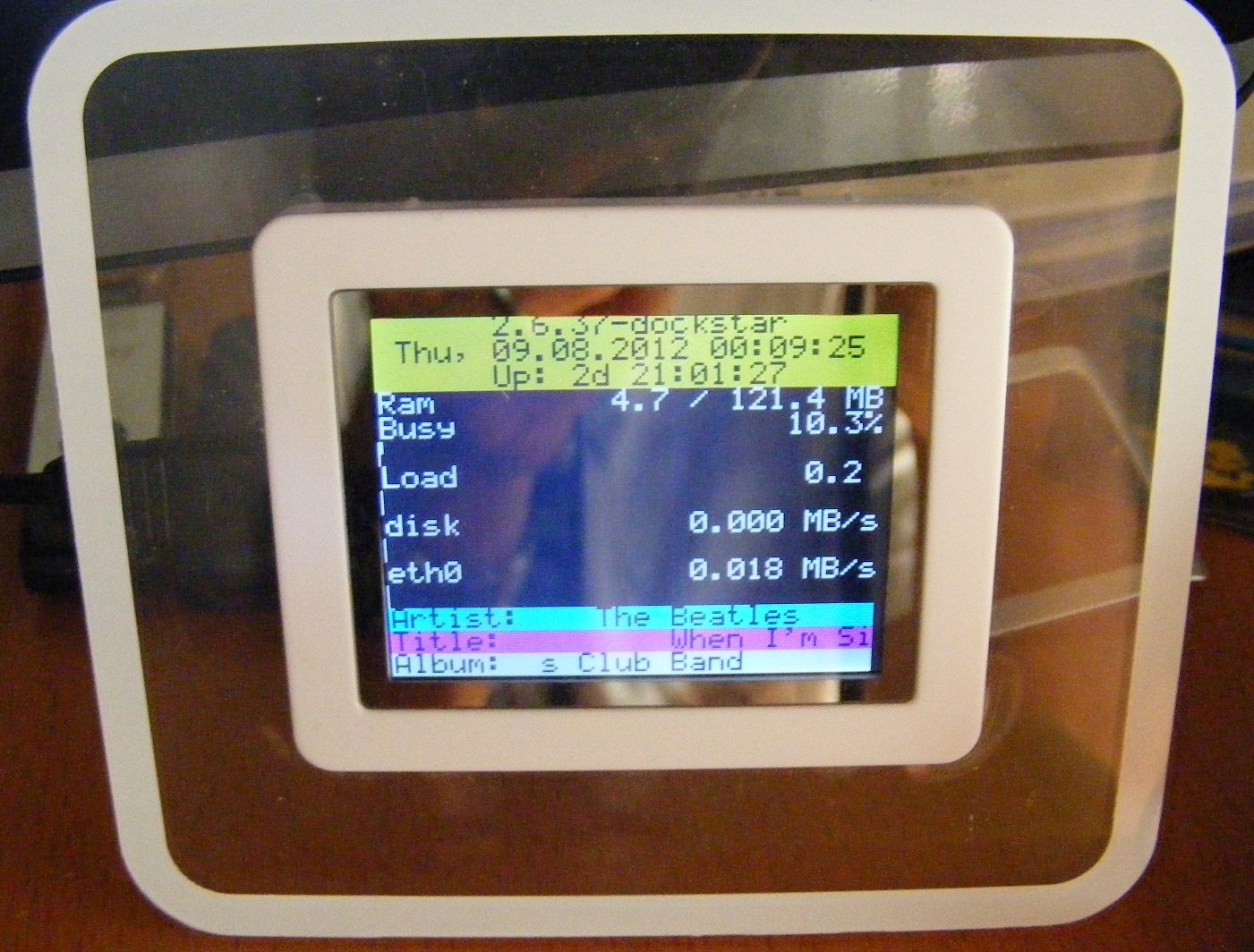
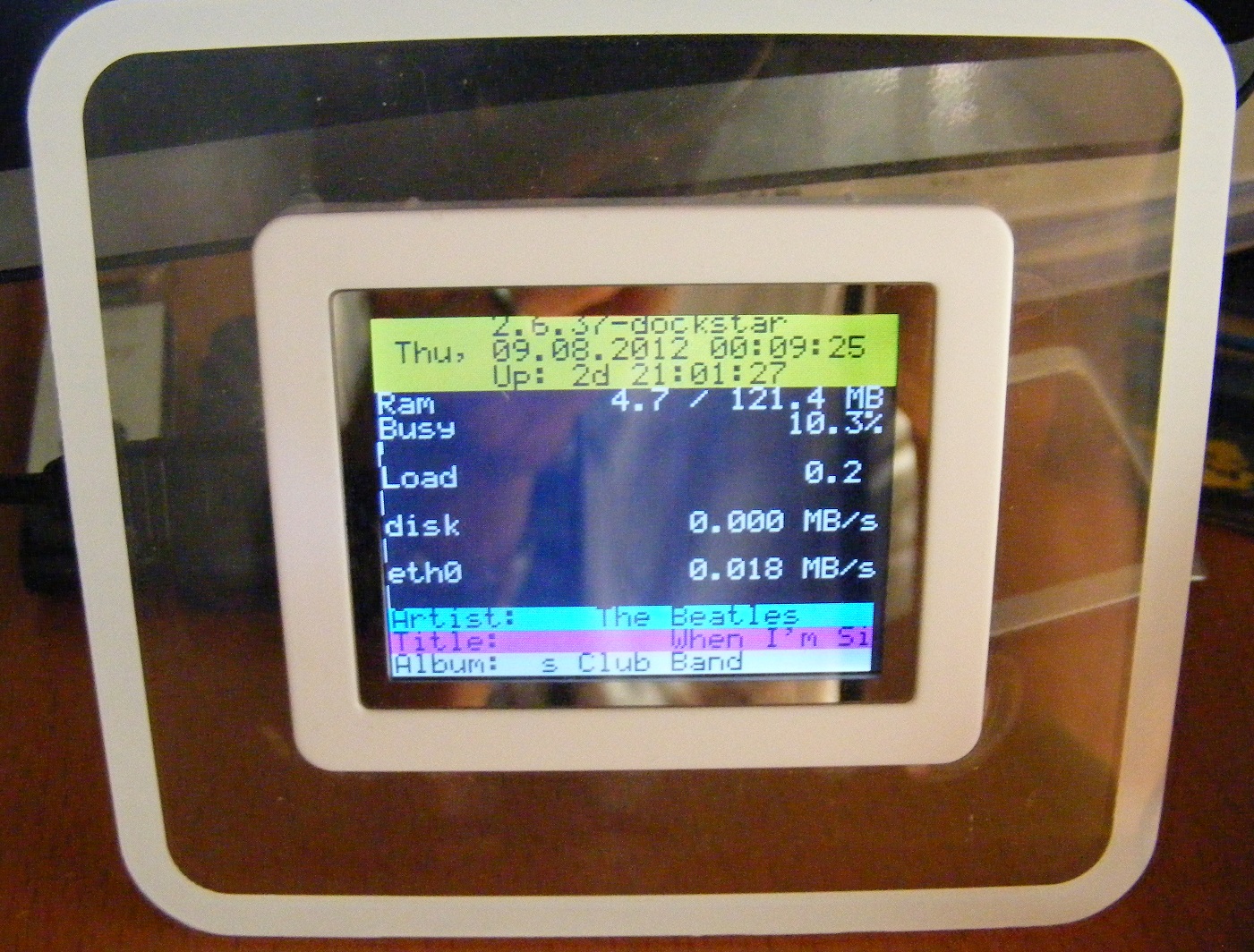
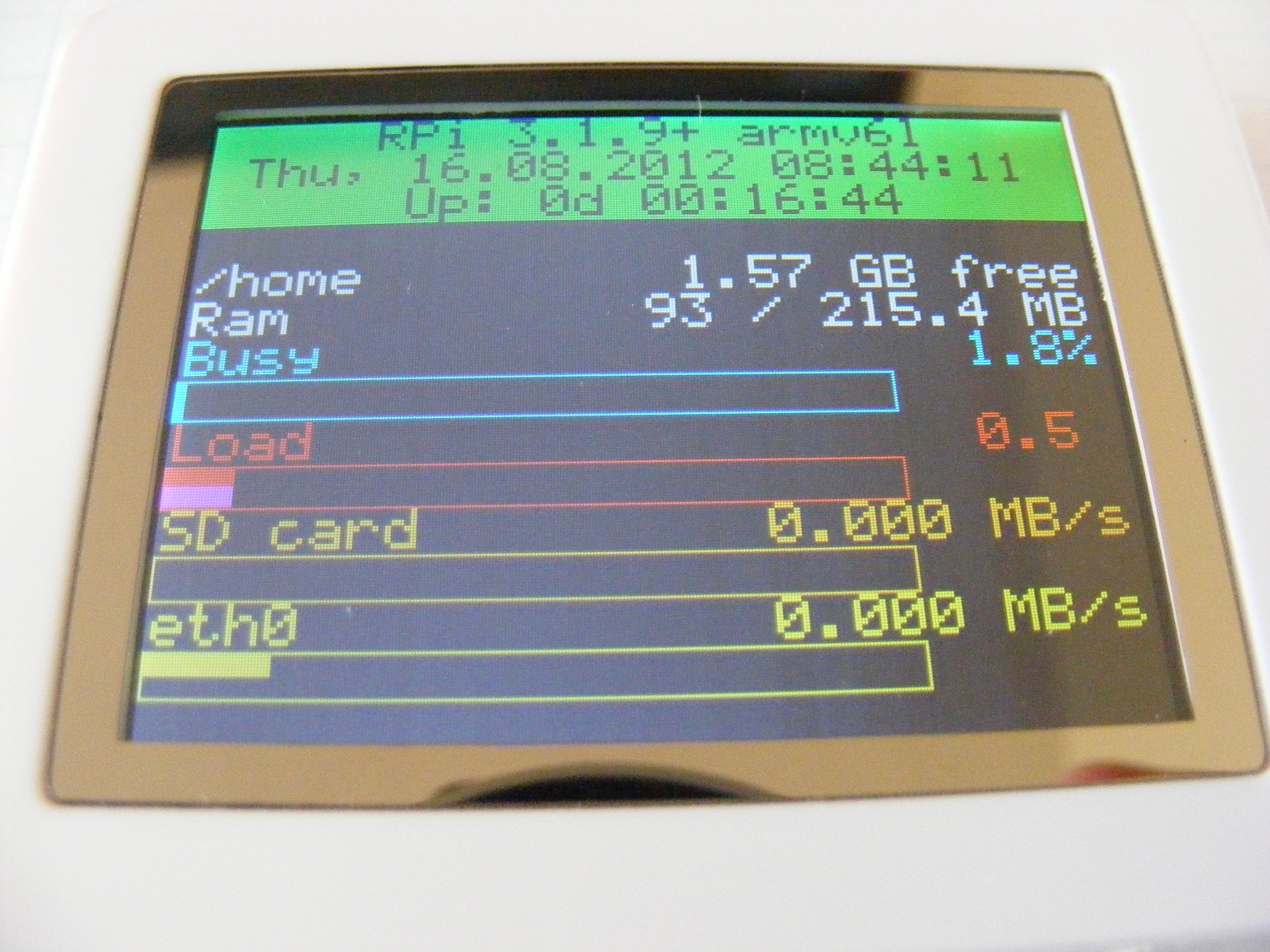
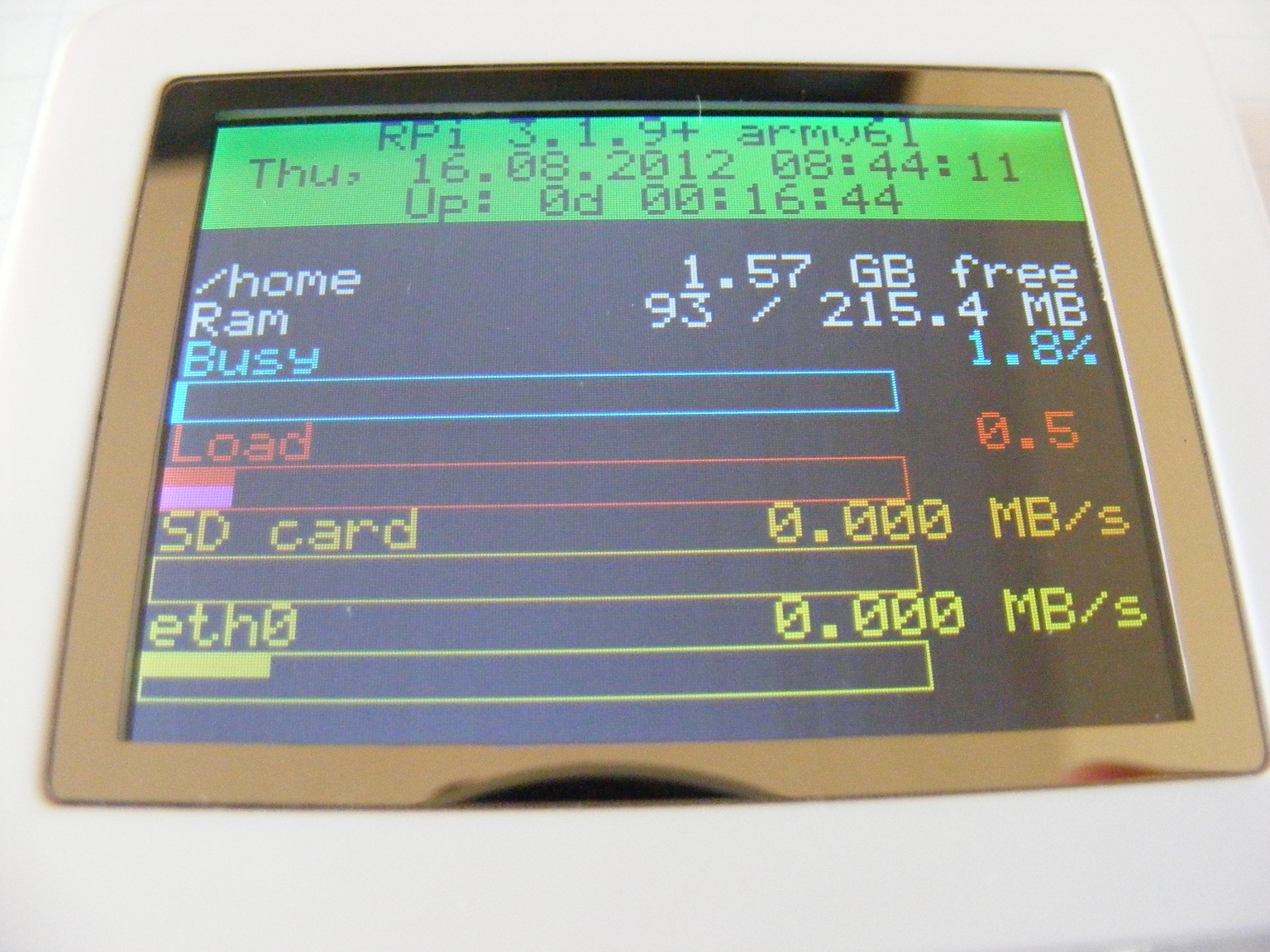
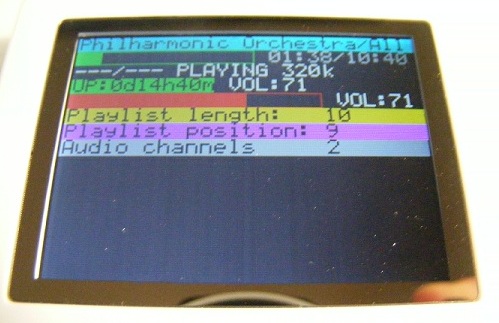
LCD screen for your dockstar (cheap! <$5)
Posted by petergunn
|
Re: LCD screen for your dockstar (cheap! <$5) July 26, 2012 12:26AM |
Registered: 11 years ago Posts: 61 |
|
tavoc
Re: LCD screen for your dockstar (cheap! <$5) July 31, 2012 12:45PM |
|
Re: LCD screen for your dockstar (cheap! <$5) August 01, 2012 03:41AM |
Registered: 12 years ago Posts: 365 |
Usbhid is installed?
When connecting the dpf in bootloader-mode you should get somthing like this in syslog:
If the dpf is detected but not claimed by usbhid just try to use restore.py and ignore hiddetach.
superelchi
Edited 2 time(s). Last edit at 08/01/2012 03:50AM by superelchi.
When connecting the dpf in bootloader-mode you should get somthing like this in syslog:
kernel: [ 3771.384180] usb 1-1.6: new full-speed USB device number 5 using ehci_hcd
mtp-probe: checking bus 1, device 5: "/sys/devices/pci0000:00/0000:00:1a.0/usb1/1-1/1-1.6"
mtp-probe: bus: 1, device: 5 was not an MTP device
kernel: [ 3781.467766] generic-usb 0003:1908:3318.0006: timeout initializing reports
kernel: [ 3781.468066] generic-usb 0003:1908:3318.0006: hiddev0,hidraw5: USB HID v2.01 Device [BUILDWIN BL206v1.0.0] on usb-0000:00:1a.0-1.6/input0
If the dpf is detected but not claimed by usbhid just try to use restore.py and ignore hiddetach.
superelchi
Edited 2 time(s). Last edit at 08/01/2012 03:50AM by superelchi.
|
Re: LCD screen for your dockstar (cheap! <$5) August 01, 2012 11:21PM |
Registered: 13 years ago Posts: 58 |
zoolander Wrote:
-------------------------------------------------------
...
...
...
> So my question is, did anyone succeed to compile
> latest lcd4linux with DPF support?
>
> Thanks for your replies ...
...
...
This may be a late reply as I was not following this forum for a while but I managed to compile version 1192 back in April
Here is some info.
As I remember, I was also having issues with libdpf.
Unfortunately, the DPF driver in lcd4linux supports only one font at the moment (6x8), I find it too small and very hard to read.
Roman
Edited 1 time(s). Last edit at 08/01/2012 11:59PM by RomanG.
-------------------------------------------------------
...
...
...
> So my question is, did anyone succeed to compile
> latest lcd4linux with DPF support?
>
> Thanks for your replies ...
...
...
This may be a late reply as I was not following this forum for a while but I managed to compile version 1192 back in April
Here is some info.
As I remember, I was also having issues with libdpf.
Unfortunately, the DPF driver in lcd4linux supports only one font at the moment (6x8), I find it too small and very hard to read.
Roman
Edited 1 time(s). Last edit at 08/01/2012 11:59PM by RomanG.
|
Re: LCD screen for your dockstar (cheap! <$5) August 05, 2012 05:38AM |
Registered: 11 years ago Posts: 11 |
@superelchi
Thanks for adding my model to the repo, I've tested a clean checkout and it works as expected (:
After some additional testing I've cleaned up the contrast a bit in lcdinit.s... screen looks much better IMHO. Inspiration came from abeyerr_black + trial and error. Here's a patch, hope inline is okay
btw, does anyone know how I can get permission to edit the wiki at http://picframe.spritesserver.nl ? Currently it lists coby 151bw as unsupported... I would like to update some pages to mention dpf-ax where appropriate. It took me a long time to find my way here, and I'd like to save someone else the hassle!
Working great though, thanks again guys
Mrlinux
PS:
I've also been wondering.. is there's a "setpic" equivalent for dpf-ax? I would like to be able to send individual images to the picframe. I can't seem to find a way to do this.
I've been looking at dpflib, and the source for lcd4linux, st2205term and setpic... thinking I could make a basic tool for this, but I don't know much about image processing.
Edited 1 time(s). Last edit at 08/05/2012 07:13AM by mrlinux.
Thanks for adding my model to the repo, I've tested a clean checkout and it works as expected (:
After some additional testing I've cleaned up the contrast a bit in lcdinit.s... screen looks much better IMHO. Inspiration came from abeyerr_black + trial and error. Here's a patch, hope inline is okay
--- lcdinit.s.old	2012-08-05 03:21:29.222999970 -0700
+++ lcdinit.s	2012-08-05 03:13:16.085999960 -0700
@@ -163,6 +163,14 @@
 	lcall	X1702
 	mov	a,#0x2c
 	lcall	X1702
+;
+; initial contrast
+;
+	mov	a,#0x25
+	lcall	X1702
+	mov	a,#0x38
+	lcall	X170c
+;
 	ret

 X16ec:	mov	r5,a
btw, does anyone know how I can get permission to edit the wiki at http://picframe.spritesserver.nl ? Currently it lists coby 151bw as unsupported... I would like to update some pages to mention dpf-ax where appropriate. It took me a long time to find my way here, and I'd like to save someone else the hassle!
Working great though, thanks again guys
Mrlinux
PS:
I've also been wondering.. is there's a "setpic" equivalent for dpf-ax? I would like to be able to send individual images to the picframe. I can't seem to find a way to do this.
I've been looking at dpflib, and the source for lcd4linux, st2205term and setpic... thinking I could make a basic tool for this, but I don't know much about image processing.
Edited 1 time(s). Last edit at 08/05/2012 07:13AM by mrlinux.
|
Re: LCD screen for your dockstar (cheap! <$5) August 05, 2012 07:08AM |
Registered: 11 years ago Posts: 61 |
@Mrlinux
Send an email to Sprite, the wiki owner from this form: http://spritesmods.com/?art=contact&subj=picframewiki.
Could you also explain how you worked out the best possible contrast?
Send an email to Sprite, the wiki owner from this form: http://spritesmods.com/?art=contact&subj=picframewiki.
Could you also explain how you worked out the best possible contrast?
|
Re: LCD screen for your dockstar (cheap! <$5) August 05, 2012 07:57AM |
Registered: 11 years ago Posts: 11 |
@ax206geek
I sent sprite a message, thanks!
As far as the contrast goes, I took the initial contrast code from lcdinit.s of abeyerr_black, adjusted the lcalls to work with my firmware, and tried it. It was extremely washed out... so from there it was trial and error adjusting the second mov. If the black is too bright, the value is too high... if the white is too dark, the value is too low. I tried adjusting the first mov a bit but I had trouble discerning a difference there, although it seemed like there were some "wrong" values. I'll try looking into that some more eventually. for now, 0x25 works
The testscreen under setup (disp firmware) was very helpful. I thought about looking through the original firmware to find the initial contrast there, but to be honest, the default contrast on the original firmware wasn't quite right anyway.
Mrlinux
I sent sprite a message, thanks!
As far as the contrast goes, I took the initial contrast code from lcdinit.s of abeyerr_black, adjusted the lcalls to work with my firmware, and tried it. It was extremely washed out... so from there it was trial and error adjusting the second mov. If the black is too bright, the value is too high... if the white is too dark, the value is too low. I tried adjusting the first mov a bit but I had trouble discerning a difference there, although it seemed like there were some "wrong" values. I'll try looking into that some more eventually. for now, 0x25 works
The testscreen under setup (disp firmware) was very helpful. I thought about looking through the original firmware to find the initial contrast there, but to be honest, the default contrast on the original firmware wasn't quite right anyway.
Mrlinux
|
Re: LCD screen for your dockstar (cheap! <$5) August 05, 2012 09:36AM |
Registered: 12 years ago Posts: 365 |
mrlinux Wrote:
-------------------------------------------------------
>
> The testscreen under setup (disp firmware) was
> very helpful. I thought about looking through the
> original firmware to find the initial contrast
> there, but to be honest, the default contrast on
> the original firmware wasn't quite right anyway.
>
> Mrlinux
The next revision of identify.py will find & extract the inital contrast value and init from the original fw automatically.
For the coby_151_bw it looks like this:
The default contrast value for this display is 8 ( = r3 in above code). So the correct value for your display would be 0x3a. But your value of 0x38 is close enough. :-)
I'm currently changing the code to initialize the contrast for all displays to the default value at startup and make the contrast adjustable by the user (like brightness). Unfortunately for this to work I have to extract the contrast code from the original fw and change the "lcdinit.s" and some more for all supported dpfs...
superelchi
-------------------------------------------------------
>
> The testscreen under setup (disp firmware) was
> very helpful. I thought about looking through the
> original firmware to find the initial contrast
> there, but to be honest, the default contrast on
> the original firmware wasn't quite right anyway.
>
> Mrlinux
The next revision of identify.py will find & extract the inital contrast value and init from the original fw automatically.
For the coby_151_bw it looks like this:
	mov	a,#0x25
	lcall	X1707
	mov	dptr,#X1677
	mov	a,r3
	dec	a
	movc a,@a+dptr
	lcall	X1711
	ret
;
X1677:
        .db 	0x25,  0x27, 0x29, 0x2b, 0x2d, 0x30, 0x35, 0x3a, 0x40, 0x45, 0x4a, 0x50, 0x55, 0x5a, 0x60, 0x65
The default contrast value for this display is 8 ( = r3 in above code). So the correct value for your display would be 0x3a. But your value of 0x38 is close enough. :-)
I'm currently changing the code to initialize the contrast for all displays to the default value at startup and make the contrast adjustable by the user (like brightness). Unfortunately for this to work I have to extract the contrast code from the original fw and change the "lcdinit.s" and some more for all supported dpfs...
superelchi
|
Re: LCD screen for your dockstar (cheap! <$5) August 05, 2012 08:48PM |
Registered: 13 years ago Posts: 58 |
Following up on my recent post, I checked what I did back in April in order to compile lcd4linux, build 1142 with mpd plugin.
While running ./configure, I was getting error message:
Copying libmpdclient.h and libmpdclient.c in to ./lcd4linux directory (as suggested by the error message) or in to ./lcd4linux/libmpd directory did not help.
What I did on the end, I edited configure file and disabled check for libmpd. Then I was able to compile lcd4linux with mpd plugin.
Did anyone try to compile one of the latest builds, i.e. 1191?
This should have patches already applied but is missing libdpf libraries.
Roman
While running ./configure, I was getting error message:
...
...
checking for mpd_newConnection in -llibmpd... no
configure: WARNING: libmpdclient.h header not found: mpd plugin disabled
configure: WARNING: get libmpdclient.h from http://www.musicpd.org/libmpdclient.shtml
configure: WARNING: and copy those 2 files in the lcd4linux directory.
...
...
Copying libmpdclient.h and libmpdclient.c in to ./lcd4linux directory (as suggested by the error message) or in to ./lcd4linux/libmpd directory did not help.
What I did on the end, I edited configure file and disabled check for libmpd. Then I was able to compile lcd4linux with mpd plugin.
Did anyone try to compile one of the latest builds, i.e. 1191?
This should have patches already applied but is missing libdpf libraries.
Roman
|
Re: LCD screen for your dockstar (cheap! <$5) August 08, 2012 01:13AM |
Registered: 11 years ago Posts: 11 |
So I decided to write a setpic-like utility for sending still images to dpf-ax frames. It supports png, jpg and gif formats, although gif is untested. It supports automatic resizing, either preserving aspect ratio or filling the frame. I also threw in a mode to fill the screen with a solid RGB color.
This is definitely a work in progress but I thought I'd share anyway. I wrote it mainly because I need the practice. In other words, I won't take responsibility if anything catches on fire. I still have a bunch of stuff I want add to this, like a simple text display mode and some other still-image related things. Maybe a way to pipe in images, who knows...
Oh and I'm calling it dpfsend for now, in case I add support for st2205/ax203 frames. A lot of the code comes from st2205term as it is. Build instructions in README
http://db.tt/68JZ8cA5
Mrlinux
This is definitely a work in progress but I thought I'd share anyway. I wrote it mainly because I need the practice. In other words, I won't take responsibility if anything catches on fire. I still have a bunch of stuff I want add to this, like a simple text display mode and some other still-image related things. Maybe a way to pipe in images, who knows...
Oh and I'm calling it dpfsend for now, in case I add support for st2205/ax203 frames. A lot of the code comes from st2205term as it is. Build instructions in README
http://db.tt/68JZ8cA5
Mrlinux
|
Re: LCD screen for your dockstar (cheap! <$5) August 08, 2012 11:13PM |
Registered: 13 years ago Posts: 58 |
-------------------------------------------------------
> zoolander Wrote:
> --------------------------------------------------
> -----
> ...
> ...
> ...
> > So my question is, did anyone succeed to
> compile
> > latest lcd4linux with DPF support?
> >
> > Thanks for your replies ...
> ...
> ...
>
zoolander, if you apply this patch dpflib_python_lcd4linux.patch on to existing dpf-ax package, and then run installation script build-dpf-lcd4linux.sh, it will install build 1184 of lcd4linux, with mdp and you will get scalable fonts as well.
Much easier to read than original 6x8 font
Roman
> zoolander Wrote:
> --------------------------------------------------
> -----
> ...
> ...
> ...
> > So my question is, did anyone succeed to
> compile
> > latest lcd4linux with DPF support?
> >
> > Thanks for your replies ...
> ...
> ...
>
zoolander, if you apply this patch dpflib_python_lcd4linux.patch on to existing dpf-ax package, and then run installation script build-dpf-lcd4linux.sh, it will install build 1184 of lcd4linux, with mdp and you will get scalable fonts as well.
Much easier to read than original 6x8 font
Roman
|
Re: LCD screen for your dockstar (cheap! <$5) August 09, 2012 08:26AM |
Registered: 11 years ago Posts: 61 |
|
Re: LCD screen for your dockstar (cheap! <$5) August 09, 2012 08:29AM |
Registered: 11 years ago Posts: 61 |
superelchi Wrote:
-------------------------------------------------------
Unfortunately for this
> to work I have to extract the contrast code from
> the original fw and change the "lcdinit.s" and
> some more for all supported dpfs...
If you need help to do some of the more tedious work, perhaps you could describe what needs to be done and some of us can try to help - provided we are up to the task as many of the enhancements you are doing are beyond my capability to emulate but I greatly appreciate everything you have done so far to make hacking of the ax206 frames so much easier for all of us :)
-------------------------------------------------------
Unfortunately for this
> to work I have to extract the contrast code from
> the original fw and change the "lcdinit.s" and
> some more for all supported dpfs...
If you need help to do some of the more tedious work, perhaps you could describe what needs to be done and some of us can try to help - provided we are up to the task as many of the enhancements you are doing are beyond my capability to emulate but I greatly appreciate everything you have done so far to make hacking of the ax206 frames so much easier for all of us :)
|
Re: LCD screen for your dockstar (cheap! <$5) August 09, 2012 09:35AM |
Registered: 13 years ago Posts: 58 |
Hi ax206geek,
It is not my patch, I just searched the internet and found thread at OpenWrt forum with same problem as mine.
I was pointed to the patch by user irimi over at OpenWrt forums, so credit should go there.
Roman
It is not my patch, I just searched the internet and found thread at OpenWrt forum with same problem as mine.
I was pointed to the patch by user irimi over at OpenWrt forums, so credit should go there.
Roman
|
Re: LCD screen for your dockstar (cheap! <$5) August 09, 2012 12:26PM |
Registered: 13 years ago Posts: 58 |
Here is my very crude script that pulls everything together and installs build 1184 of lcd4linux with mpd plugin.
The lcd4linux install script from dpf-ax package is configured such that it installs DPF driver only.
If you are running multiple displays on your dosckstar like me (I have one graphic dpf display and one 4x20 character USB2LCD display running at the same time), you will need to comment out last script call and edit build-dpf-lcd4linux.sh sript so that it builds with all drivers.
around line 49....
Here is the script:
Roman
The lcd4linux install script from dpf-ax package is configured such that it installs DPF driver only.
If you are running multiple displays on your dosckstar like me (I have one graphic dpf display and one 4x20 character USB2LCD display running at the same time), you will need to comment out last script call and edit build-dpf-lcd4linux.sh sript so that it builds with all drivers.
around line 49....
...
./configure --with-drivers=DPF
...
should be changed to:
...
./configure --with-drivers=all
...
and then run build-dpf-lcd4linux.sh manually.
Here is the script:
#!/bin/bash
# very crude script that pulls everything together and installs
# build 1184 of lcd4linux with mpd plugin and patch for scaleable fonts

PREREQUISITES='pkg-config aclocal automake autoconf'

for i in $PREREQUISITES; do
        if [ -z `which $i` ]; then
                echo missing tool "'$i'". Please install package.
                err=1
        fi
done

if [ $err ]; then
        echo "Error, cancelling"
        exit
fi

# download and untar dpf-ax tools

curl http://dpf-ax.svn.sourceforge.net/viewvc/dpf-ax/trunk/?view=tar | tar -zxv
cd trunk

# this part takes for a while on dockstar, aside from building custom
# firmware for your dpf, it is needed to build libdpf library and module
make

# download patch for mpd plugin and scaled fonts for dpf
wget http://sourceforge.net/p/pydpf/code/ci/1b10e3224801f9ed1874c52acaa6b98be9f66aae/tree/distributions/pydpflib/dpflib_python_lcd4linux.patch?format=raw -O dpflib_python_lcd4linux.patch

# patch files
patch -p1 < dpflib_python_lcd4linux.patch

# Run lcd4linux installation script
# The lcd4linux installation script from dpf-ax package is configured such that it installs DPF driver only.
# If you are running multiple displays on your dosckstar, you will need to comment out last script call below
# and edit build-dpf-lcd4linux.sh sript so that it configures build with all drivers.

# around line 49 of build-dpf-lcd4linux.sh sript
# change from
# ./configure --with-drivers=DPF
# to:
# ./configure --with-drivers=all
# and then run build-dpf-lcd4linux.sh manually.

./build-dpf-lcd4linux.sh
Roman
|
Re: LCD screen for your dockstar (cheap! <$5) August 10, 2012 08:20AM |
Registered: 12 years ago Posts: 365 |
ax206geek Wrote:
-------------------------------------------------------
>
> If you need help to do some of the more tedious
> work, perhaps you could describe what needs to be
> done and some of us can try to help - provided we
> are up to the task as many of the enhancements you
> are doing are beyond my capability to emulate but
> I greatly appreciate everything you have done so
> far to make hacking of the ax206 frames so much
> easier for all of us :)
Thanks. With my skill to write instructions this would take more time than doing it myself. ;-)
But your help will be needed when I'm ready - the init routines for almost all dpfs will be changed. Because I have access only to a small number of the supported dpfs, everybody is invited to test the new fw and report problems!
Also I'm missing the dump of the original fw for the dpf "avlabs_avl969s". Could you upload it? Its needed for extracting the contrast settings.
superelchi
Edited 1 time(s). Last edit at 08/10/2012 08:21AM by superelchi.
-------------------------------------------------------
>
> If you need help to do some of the more tedious
> work, perhaps you could describe what needs to be
> done and some of us can try to help - provided we
> are up to the task as many of the enhancements you
> are doing are beyond my capability to emulate but
> I greatly appreciate everything you have done so
> far to make hacking of the ax206 frames so much
> easier for all of us :)
Thanks. With my skill to write instructions this would take more time than doing it myself. ;-)
But your help will be needed when I'm ready - the init routines for almost all dpfs will be changed. Because I have access only to a small number of the supported dpfs, everybody is invited to test the new fw and report problems!
Also I'm missing the dump of the original fw for the dpf "avlabs_avl969s". Could you upload it? Its needed for extracting the contrast settings.
superelchi
Edited 1 time(s). Last edit at 08/10/2012 08:21AM by superelchi.
|
Re: LCD screen for your dockstar (cheap! <$5) August 10, 2012 08:44AM |
Registered: 11 years ago Posts: 61 |
@superelchi:
Here's the uploaded firmware. Original avlabs firmware for avl969s
@RomanG:
Thanks for the configure script.
Here's the uploaded firmware. Original avlabs firmware for avl969s
@RomanG:
Thanks for the configure script.
|
Re: LCD screen for your dockstar (cheap! <$5) August 11, 2012 12:34PM |
Registered: 11 years ago Posts: 7 |
|
Re: LCD screen for your dockstar (cheap! <$5) August 11, 2012 08:18PM |
Registered: 11 years ago Posts: 61 |
|
Re: LCD screen for your dockstar (cheap! <$5) August 12, 2012 02:35AM |
Registered: 11 years ago Posts: 7 |
ax206geek Wrote:
-------------------------------------------------------
> @gabychan, you have to upload the original
> firmware or use python identify.py yourself to
> identify the needed firmware.
Thanks going to wait if the friend gets a copy of the original firm, to continue.
You can see the thread here
Regads
-------------------------------------------------------
> @gabychan, you have to upload the original
> firmware or use python identify.py yourself to
> identify the needed firmware.
Thanks going to wait if the friend gets a copy of the original firm, to continue.
You can see the thread here
Regads
|
Re: LCD screen for your dockstar (cheap! <$5) August 12, 2012 01:17PM |
Registered: 13 years ago Posts: 58 |
gabychan Wrote:
-------------------------------------------------------
> A partner in the Forum Tododream has purchased
> this
> [url=http://www.focalprice.com/ED022W/24_LCD_Scree
> n_Square_Shaped_Digital_Photo_Frame_with_USB_Slot_
> White.html#.UCWEfKCojgs][b]Frame[/b][/url] and can
> not get it to work.
> Anyone know what Firm is needed?
>
> Regards
I have exactly the same frame from Focalprice, works fine with focal_landscape.bin firmware.
Roman
-------------------------------------------------------
> A partner in the Forum Tododream has purchased
> this
> [url=http://www.focalprice.com/ED022W/24_LCD_Scree
> n_Square_Shaped_Digital_Photo_Frame_with_USB_Slot_
> White.html#.UCWEfKCojgs][b]Frame[/b][/url] and can
> not get it to work.
> Anyone know what Firm is needed?
>
> Regards
I have exactly the same frame from Focalprice, works fine with focal_landscape.bin firmware.
Roman
|
Re: LCD screen for your dockstar (cheap! <$5) August 15, 2012 08:59AM |
Registered: 13 years ago Posts: 58 |
ax206geek Wrote:
-------------------------------------------------------
> @RomanG: Thanks for your lcd4linux patch. I'll try it out on both my Pi and dockstar.
> @MrLinux: Thanks for your dpfsend program. I'll try it out on both my Pi and dockstar.
Hi ax206geek,
Did you try to install it on your PI?
I tried on mine (under Raspbian as well as Debian) but I am running in to strange issue.
While building dpflib it fails with the following error:
All required headers are in the ./src directory but somehow compiler does not "see" them.
I tried to modify the Makefile and modified compiling flags from
Any ideas?
Roman
-------------------------------------------------------
> @RomanG: Thanks for your lcd4linux patch. I'll try it out on both my Pi and dockstar.
> @MrLinux: Thanks for your dpfsend program. I'll try it out on both my Pi and dockstar.
Hi ax206geek,
Did you try to install it on your PI?
I tried on mine (under Raspbian as well as Debian) but I am running in to strange issue.
While building dpflib it fails with the following error:
make -C ../dpflib install DESTDIR=..
make[1]: Entering directory `/usr/src/trunk/dpflib'
cc -Wall -fPIC -I../include -g   -c -o dpflib.o dpflib.c
In file included from dpflib.c:14:0:
dpf.h:7:17: fatal error: usb.h: No such file or directory
compilation terminated.
make[1]: *** [dpflib.o] Error 1
make[1]: Leaving directory `/usr/src/trunk/dpflib'
make: *** [fwload] Error 2
All required headers are in the ./src directory but somehow compiler does not "see" them.
I tried to modify the Makefile and modified compiling flags from
CFLAGS = -Wall -fPIC -I../include -gtp
CFLAGS = -Wall -fPIC -I../include -I../src -gbut it did not solve the issue.
Any ideas?
Roman
|
Re: LCD screen for your dockstar (cheap! <$5) August 15, 2012 10:28AM |
Registered: 12 years ago Posts: 365 |
|
Re: LCD screen for your dockstar (cheap! <$5) August 15, 2012 07:37PM |
Registered: 13 years ago Posts: 58 |
superelchi Wrote:
-------------------------------------------------------
> The missing usb.h is part of the libusb
> development (header) files.
> An
> trick.
>
> superelchi
I was not sure since the dpf-ax/source directory contains usb.h as well.
After few trials I managed to install it on raspberry pi running Debian wheeze (works on Raspbian too, instructions below were modofied to reflect the necessary steps).
I was not able to compile firmware, but since my LCD is already hacked, I did not need it.
Installation was done on fresh Debian wheeze as well as latest Rasbian. For Debian wheeze, order of installation is not important, but for Raspbian, it is recommended to follow instructions below.
run
Note: You may not need all the above libraries, if you are compiling only DPF driver.
I was compiling all drivers so some additional libraries were required.
For Raspbian:
In order to instal Small Device C Compiler, sdcc, the sources.list in /etc/apt needs to be modified. Add following lines in to your /etc/apt/sources.list
then run:
After subversion is installed (along with dependencies) modify the sources.list back to the original state by commenting out two added lines.
What I found , when installing on Raspbian, was that if I changed the sources.list before installing subversion, svn command would throw error 'Illegal instruction'. So the order of installation and sources.list file modification is important.
For Debian wheeze:
You can directly install sdcc without any modification of sources.list
run:
Here is modified script, difference between this one and the one I posted previously is that this one builds only libdpf library from dpf-ax package and does not attempt to build firmware (I was getting lot of errors):
Roman
Edited 2 time(s). Last edit at 08/16/2012 07:04AM by RomanG.
-------------------------------------------------------
> The missing usb.h is part of the libusb
> development (header) files.
> An
> apt-get install libusb-devmay do the
> trick.
>
> superelchi
I was not sure since the dpf-ax/source directory contains usb.h as well.
After few trials I managed to install it on raspberry pi running Debian wheeze (works on Raspbian too, instructions below were modofied to reflect the necessary steps).
I was not able to compile firmware, but since my LCD is already hacked, I did not need it.
Installation was done on fresh Debian wheeze as well as latest Rasbian. For Debian wheeze, order of installation is not important, but for Raspbian, it is recommended to follow instructions below.
run
sudo apt-get install subversion
sudo apt-get install bison autoconf automake1.10 libtool libgd2-noxpm-dev libgd2-noxpm libibus-1.0-dev libusb-dev libssl-dev python-dev libc6 libncurses5-dev libx11-dev libmpdclient-dev libusb-1.0-0-dev libftdi-dev gettext
Note: You may not need all the above libraries, if you are compiling only DPF driver.
I was compiling all drivers so some additional libraries were required.
For Raspbian:
In order to instal Small Device C Compiler, sdcc, the sources.list in /etc/apt needs to be modified. Add following lines in to your /etc/apt/sources.list
deb http://ftp.ca.debian.org/debian wheezy main non-free
deb-src http://ftp.ca.debian.org/debian wheezy main non-free
then run:
sudo apt-get update
sudo apt-get install sdcc
After subversion is installed (along with dependencies) modify the sources.list back to the original state by commenting out two added lines.
# deb http://ftp.ca.debian.org/debian wheezy main non-free
# deb-src http://ftp.ca.debian.org/debian wheezy main non-free
What I found , when installing on Raspbian, was that if I changed the sources.list before installing subversion, svn command would throw error 'Illegal instruction'. So the order of installation and sources.list file modification is important.
For Debian wheeze:
You can directly install sdcc without any modification of sources.list
run:
sudo apt-get install sdcc
Here is modified script, difference between this one and the one I posted previously is that this one builds only libdpf library from dpf-ax package and does not attempt to build firmware (I was getting lot of errors):
#!/bin/bash
# tested on raspberry pi running debian wheeze
# very crude script that pulls everything together and installs
# build 1184 of lcd4linux with mpd plugin and patch for scaleable fonts
# does not build firmware for hacking dpf-ax206 frame, only libdpf library

PREREQUISITES='pkg-config aclocal automake autoconf'

for i in $PREREQUISITES; do
        if [ -z `which $i` ]; then
                echo missing tool "'$i'". Please install package.
                err=1
        fi
done

if [ $err ]; then
        echo "Error, cancelling"
        exit
fi

# download and untar dpf-ax tools

curl http://dpf-ax.svn.sourceforge.net/viewvc/dpf-ax/trunk/?view=tar | tar -zxv
cd trunk/dpflib

# this part takes for a while on dockstar, aside from building custom
# firmware for your dpf, it is needed to build libdpf library and module
make

cd ..
# download patch for mpd plugin and scaled fonts for dpf
wget http://sourceforge.net/p/pydpf/code/ci/1b10e3224801f9ed1874c52acaa6b98be9f66aae/tree/distributions/pydpflib/dpflib_python_lcd4linux.patch?format=raw -O dpflib_python_lcd4linux.patch

# patch files
patch -p1 < dpflib_python_lcd4linux.patch

# Run lcd4linux installation script
# The lcd4linux installation script from dpf-ax package is configured such that it installs DPF driver only.
# If you are running multiple displays on your dosckstar, you will need to comment out last script call below
# and edit build-dpf-lcd4linux.sh sript so that it configures build with all drivers.

# around line 49 of build-dpf-lcd4linux.sh sript
# change from
# ./configure --with-drivers=DPF
# to:
# ./configure --with-drivers=all
# and then run build-dpf-lcd4linux.sh manually.

red='\033[31m'
yellow='\033[33m'
NC='\e[0m' # No Color


echo ""
echo -e "${yellow} The lcd4linux installation script from dpf-ax package is configured such"
echo -e " that it installs DPF driver only. If you are running multiple displays on"
echo -e " your dosckstar or Pi, you will need to edit ${red}build-dpf-lcd4linux.sh ${yellow}sript"
echo -e " so that it configures build with all drivers."
echo ""
echo -e " Around line 49 of build-dpf-lcd4linux.sh sript change line from:"
echo -e " ./configure --with-drivers=DPF"
echo -e " to:"
echo -e " ./configure --with-drivers=all"
echo ""
echo -e "Would you like to modify ${red}build-dpf-lcd4linux.sh ${yellow}script? [Y/n]${NC}"
read answer
if [[ $answer == "Y" || $answer == "y" || $answer = "" ]]; then

sudo nano ./build-dpf-lcd4linux.sh
fi

./build-dpf-lcd4linux.sh
Roman
Edited 2 time(s). Last edit at 08/16/2012 07:04AM by RomanG.
|
Re: LCD screen for your dockstar (cheap! <$5) August 16, 2012 07:48AM |
Registered: 13 years ago Posts: 58 |
|
Markus
Re: LCD screen for your dockstar (cheap! <$5) August 18, 2012 04:11PM |
|
Re: LCD screen for your dockstar (cheap! <$5) August 18, 2012 05:13PM |
Registered: 13 years ago Posts: 58 |
|
Markus
Re: LCD screen for your dockstar (cheap! <$5) August 20, 2012 12:10PM |
|
Alex
Re: LCD screen for your dockstar (cheap! <$5) August 22, 2012 09:23AM |
|
Re: LCD screen for your dockstar (cheap! <$5) August 23, 2012 07:18AM |
Registered: 11 years ago Posts: 61 |
@Alex:
http://picframe.spritesserver.nl/wiki/index.php/DPF_with_AppoTech_AX206 has a list of supported DPFs but you have to take some risk as the shipped frame may not be an exact match even if previously the merchant shipped a compatible frame.
http://picframe.spritesserver.nl/wiki/index.php/DPF_with_AppoTech_AX206 has a list of supported DPFs but you have to take some risk as the shipped frame may not be an exact match even if previously the merchant shipped a compatible frame.